Use the Lasqueti E-mail List
Subscribing to the list
To subscribe to the Lasqueti E-mail List, you must have a "connection" to Lasqueti and its community. Simply visit: https://lists.lasqueti.ca
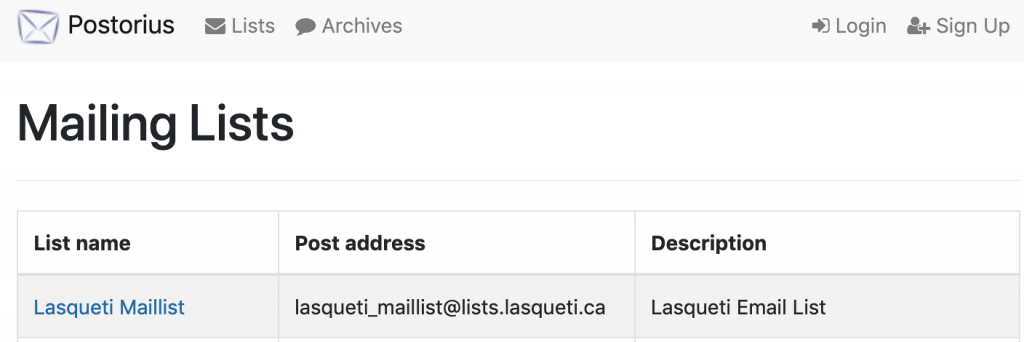
- Select Lasqueti Maillist.
- Fill out the Subscription Form - it looks like this:
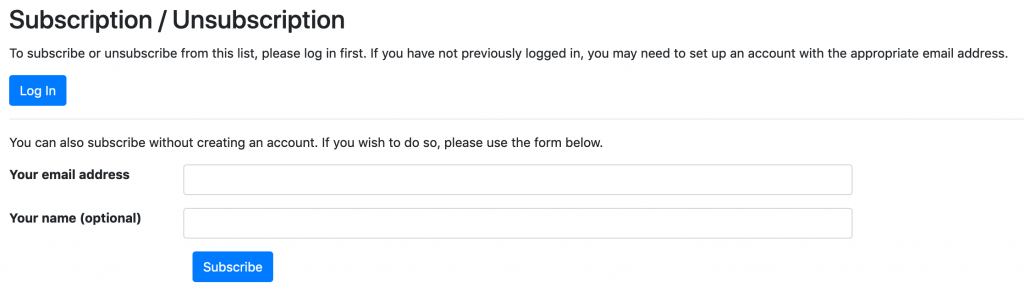
I strongly recommend that you "Sign Up" for an account first (link at top-right), and then login and subscribe to the email list, but you can use this form to subscribe without an account.
You will need an account to manage your subscription preferences, but the account can be created later using the same email address.
Sending Messages to the List
The Lasqueti e-mail list is semi-automated, but every message is "moderated" by one of several community volunteers before being sent out to you. The list moderators ensure that spam is removed, and that submissions don't include long "reply quotes" or "signatures", or other irrelevant and distracting stuff (see Moderatrion Guidelines for details).
Please get time-sensitive postings sent in as early as possible - certainly by early evening - or your message may languish "in the queue" for a day. You can (and should) post event notices, important announcements, or classified ads on the Lasqueti web site (see http://lasqueti.ca/books/how-to/create-content ) - such posts are automatically cross-posted to the e-mail list. This allows anyone who checks the website, including those who do not subscribe to the e-mail list, to learn about your post right away.
If something very important, and time-sensitive, and comes up at the last moment, you could consider calling one of the moderators, wake them up and ask them to get out of bed, turn on their computer, and approve your posting. It had better be important and have just come up, and not be late because you didn't get around to it earlier. And should be followed-up with a nice loaf of bread, a chocolate cake, or other offering of appeasement ;-)
Changing Your Subscription Preferences
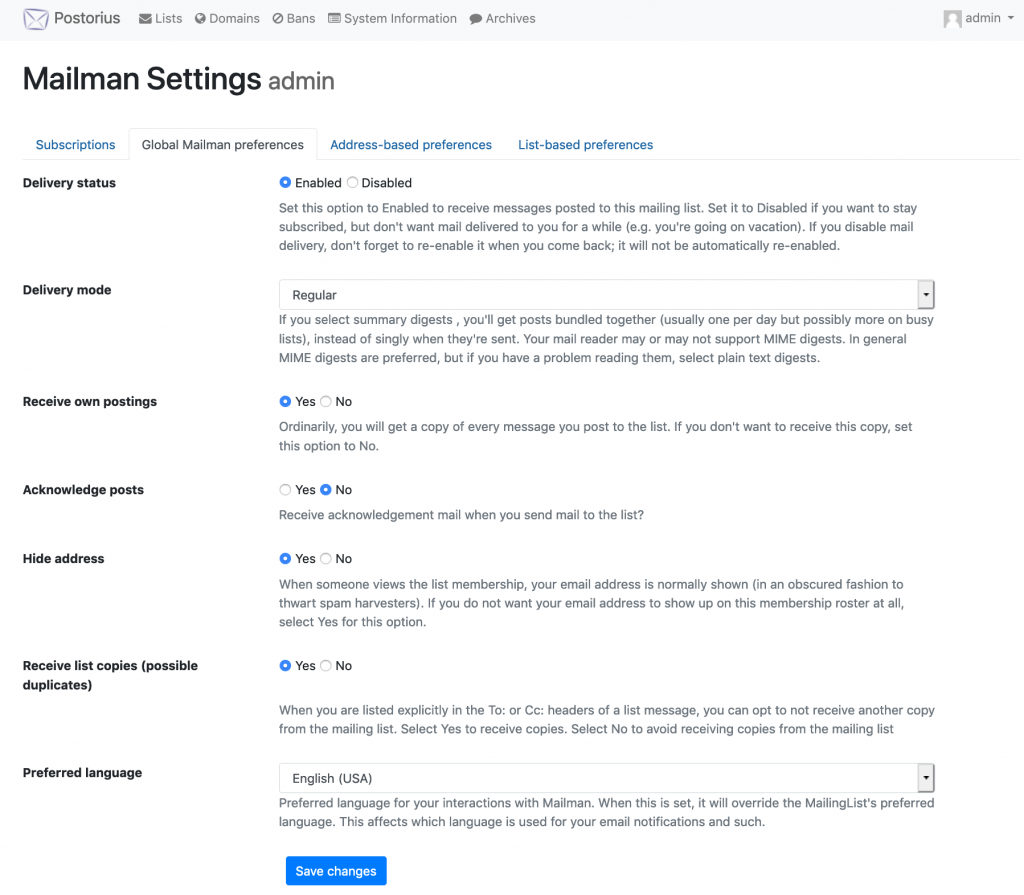
 You will need to "Sign Up" for an account https://lists.lasqueti.ca to manage your subscription preferences. Once logged in, use the drop-down menu under your name in top-right corner too access your "Mailman settings". Here you can manage your subscriptions with "Global preferences" (defaults that apply to all your list subscriptions), or "List-based Preferences" to override your default preference for individual subscriptions.
The "Account" settings on this same menu allows up to update your personal profile and change your password.
The screenshot below shows the preferences you can configure for your list subscription(s).
Filter messages you receive from the email list
The purpose of the Lasqueti email list is simple and well captured by our motto:
"Together we can talk and solve our problems."
To achieve this simple goal is a significant challenge. It requires carefully balancing free, open speech with the need to create an inclusive space where everyone feels welcome to participate. This is the fine line, drawn and walked by your list moderation team.
This "how-to" shows you a couple ways to gain more control over where this balance lies -- to allow you to take control over what you receive in your inbox from the mail list.
Default Settings
By default, the email list sends you all messages approved by the list moderators. If you are happy receiving all messages, you need take no action and can stop reading now.
Filtering out Messages
There are 2 ways to filter messages out of your inbox:
- Mail client "Rules" or "Filters" (client-side)
- Mailman "Topics" (server-side)
In both cases you MUST configure your subscription settings to receive individual messages. The daily digest is compiled once per day and sent out to all subscribers who choose to receive the list as a digest -- there is no way to filter out individual messages from a digest. So...
Step 1: "Set Digest Mode" : "Off"
- edit your email list subscription options
- choose "Off" for the "Set Digest Mode" option
- save
 Now you will receive each message as it is approved by the list moderators. Next, choose a method to filter those incominig messages.
Filtering with Mail Client Rules
Your mail client (the program you use to check email) likely has a powerful tool that allows you to filter and sort email as it arrives in your inbox. This is the ideal solution as it provides you with the most control and flexibility to filter on exactly the criteria important to you.
The subject line of all email from the list starts with "[Lasqueti Email List]" -- this makes a good criteria to start defining your filter. Then add additional criteria to target the messages you want to filter out.
This applies to most desktop / laptop mail clients (e.g., Mac Mail, Thunderbird, Outlook, and the Gmail Webmail client). Generally, mobile mail clients don't support this feature, so if you use an phone or tablet to check your email, you probably won't find this option.
We hope to publish some guides and/or hold some workshops to help people with this, but given the range of email clients, that's a big job. For now, try a Google search for your specific mail client, like " Mac Mail rule filter tutorial ", and you should find lots of helpful tutorials to get you started.
Filtering with Mailman Topics
Your list moderation team maintains a list of "special topics", typically hot-button topics that some readers find distressing, hurtful, or offensive. We are open to suggestions, but will be reluctant to create topics unless we receive multiple requests and there is an obvious social benefit to providing an easy way for folks to filter such message out. Currently we support these topics:
- Covid-19 related discussion / debate / opinion
- Vaccine related discussion / debate / opinion
Instructions for enabling Mailman Topic filtering
- edit your email list subscription options
- scroll down to the bottom of the options, look for the 2 topic options shown below
- check "Enable Topic Filtering" (as shown) (and any Topics you do wish to receive)
- choose "Yes" to receive messages that don't match any Topic filters (i.e., all other messages)
- Save

With the options shown above, you will receive all list messages, as usual, EXCEPT for those tagged as "covid" or "vaccine" related. These messages will not be sent to you.
It is very important to select "Yes" to "receive messages that do not match any topic filter". Once you enable topic filtering, you won't receive any list messages otherwise!